
-
AuthorSearch Results
-
December 19th, 2016 at 11:28 #41399
In reply to: Moving the search box to the main menu bar?
Zed
Cryout Creations mastermindMenus and widget areas are different functionality, and Parabola does not have a search-in-menu feature.
This can, however, be done with custom coding and styling.
If you like our creations, help us share by rating them on WordPress.org.
Please check the available documentation and search the forums before starting a topic.December 19th, 2016 at 11:25 #41398In reply to: Newbie looking for upstart help
Cryout Creations mastermindParabola implements a lot of options, all of which are available in the theme’s settings page under Appearance > Parabola Settings.
If this is a fresh install you may need to install the companion settings plugin to enable the settings page (it’s all explained in there).
You’ll be able to enable the theme’s presentation page (what we call the special homepage) from under the Presentation Page section in the settings, change the layout from under Layout (you can also use a layout template for pages you want to look different than the general site layout), change colours from under Colors.
If by icons you’re referring to the social icons, their images are not changeable, but the background color is configurable (from the same theme options).
If you like our creations, help us share by rating them on WordPress.org.
Please check the available documentation and search the forums before starting a topic.November 13th, 2016 at 16:59 #40687Cryout Creations mastermindParabola uses the standard WordPress excerpt with post-based columns. There is currently no easy way to adjust its length independent of the general excerpt length (that is configurable in the theme). Adjusting it would require editing the code of the presentation page handler file – frontpage.php.
If you like our creations, help us share by rating them on WordPress.org.
Please check the available documentation and search the forums before starting a topic.November 9th, 2016 at 17:36 #40614In reply to: Formatting broken in Chrome
I just checked and the three buttons at the bottom are vertical, not horizontal. I understand that they are supposed to rearrange on screen width, but that’s not happening on my screen in Chrome for some reason (or my boss’).
This has not always been the case, leading me to believe something happened in an update, or possibly a mismatch because of the fact I created a child of the theme?
The buttons are 308×200. The slider dimensions in Parabola Settings which essentially sets the width for the whole page is 1050 — should be plenty of room for the three buttons. When I resize the width of the page or the width of the buttons, they don’t rearrange to a single line.
 October 16th, 2016 at 19:30 #39909
In reply to: Site not displaying properly on phone and tablet
Cryout Creations mastermindYour websites indicates that you are using Parabola version 1.7.4. We’ve already fixed the columns issue in a later update.
If you like our creations, help us share by rating them on WordPress.org.
Please check the available documentation and search the forums before starting a topic.October 10th, 2016 at 14:31 #39768Updating Theme Parabola (1/1)
THANK YOU! All things solved. Column issue and slider issue. I completed the following two updates and have an even better “Parabolo Settings” experience than when things were working. Much obliged!
Downloading update from https://downloads.wordpress.org/theme/parabola.2.0.7.zip…
Unpacking the update…
Installing the latest version…
Removing the old version of the theme…
Theme updated successfully.and,,.
Downloading install package from https://downloads.wordpress.org/plugin/cryout-theme-settings.0.5.7.zip…
Unpacking the package…
Installing the plugin…
Plugin installed successfully.
Plugin activated successfully.October 9th, 2016 at 17:55 #39741I’m actually not “very updated.” Here’s paste in about my latest version: “Parabola You have version 1.3.2 installed. Update to 2.0.7.”
I will go in and update both to latest version and then update the theme as well.
Thanks.
October 1st, 2016 at 13:03 #39526In reply to: Pages above header – Disclaimer etc.
Tried it afer your post woithout any effect :/ I can´t understand how they are created – if I delete the disclaimer page it vanishes, but the “Startseite” is a page I didn´t even create, but it wasn´t there automatically after I activated parabola and I couldn´t find any settings according to this issue.
September 27th, 2016 at 11:51 #39410Cryout Creations mastermindSorry about this issue in 2.0.4. As it only occurs on a particular options combination, it can also be avoided.
If you are not currently using Parabola’s magazine layout option, please disable the new Masonry option from the theme’s Miscellaneous settings until the next update.If you like our creations, help us share by rating them on WordPress.org.
Please check the available documentation and search the forums before starting a topic.September 27th, 2016 at 11:27 #39404Cryout Creations mastermindWhile not using Parabola’s magazine layout option, please disable Masonry from the theme’s Miscellaneous settings until the next update.
If you like our creations, help us share by rating them on WordPress.org.
Please check the available documentation and search the forums before starting a topic.September 27th, 2016 at 01:31 #39392In reply to: Presentation Slider
Hi MarkCimino
Looks like the slider not working is an issue with the latest Parabola upgrade to 2.0.4, I reported the issue earlier within this “Bugs” section but if you check out the responses below my initial reporting you will see that there are ways, using a WP ROllback plugin, where you can roll the version back to 2.0.3 where it is working. Until it gets fixed.
Hope this helps
Jim…
September 27th, 2016 at 00:46 #39390Hi Candykane
Kleinj04 put some instructions above, for the WP Rollback plug in, so I have posted them here below, basically it allows you to revert the Parabola theme back to the version 2.0.3, before the latest upgrade, where the slider was working properly.
– Get the WP Rollback Plugin, install and activate it.
– Go to appearance > themes > Parabola
– There will be a link to “Rollback” in the bottom right of the website.
– Click it and Rollback to 2.03 (or any other version)You should not need godaddy at all just access to the WP dashboard.
I hope this helps…
Jim…
September 27th, 2016 at 00:42 #39389candykane:
If you have cpanel access in godaddy you can do a site restore from your file manager from applications site restore back a day.
But if you installed WP Rollback, this is by far the easiest way to just roll back to previous theme version.
Dashboard go to:
Appearance > themes > parabola theme details > Rollback (corner right) > select v 2.0.3 Rollback
This will do the trick for anyone experiencing this issue
Russ..
September 26th, 2016 at 22:10 #39385In reply to: Presentation Slider
Hi Zed,
I am a big fan of parabola. and tempera. I just upgraded to the latest WP install WordPress 4.6.1 and found that the presentation slider doesn’t work at http://www.doubleconnect.net/. There is a white space where the slides were and the revolving circle rolling in the middle of it.
I contacted a techie at Bluehost and he could not what the problem was. We disabled the 4 plug-ins but that didn’t affect things.
Do you have any suggestions as to what might be the problem?
thanks,
markSeptember 26th, 2016 at 18:17 #39378I am having the same issue with Parabola Slider. Just get a loading icon.
This is also happening to my business contact widget by stressfree sites – Just Loading icon
The WP Rollback Plugin is an easy option or you can do it from your hosting panel, or manually from a backup with ftp if you have that option.
September 26th, 2016 at 15:59 #39372In reply to: Presentation Slider
I have same problem at hollymadew.co.uk and tickboo.co.uk. Anyone help? These sites of mine have had parabola loaded for a while and have just developed the problem. I havent upgraded or anything.
September 26th, 2016 at 15:58 #39371I figured out a way to revert to 2.03. In short:
– Get the WP Rollback Plugin, install and activate it.
– Go to appearance > themes > Parabola
– There will be a link to “Rollback” in the bottom right of the website.
– Click it and Rollback to 2.03 (or any other version)September 26th, 2016 at 15:36 #39368chrisrossjones
Power UserHi, I’m having the same problem as above, having just updated Parabola to 2.0.4. Can you offer a fix, or tell me how to restore back to 2.0.3 as Jim has above?
Thanks
September 25th, 2016 at 12:45 #39335In reply to: Homepage paging
Cryout Creations mastermindDisplaying the pagination is not currently possible with Parabola’s presentation page.
If you like our creations, help us share by rating them on WordPress.org.
Please check the available documentation and search the forums before starting a topic.September 21st, 2016 at 14:54 #39280In reply to: New social media icons
Cryout Creations mastermindI suggest you use the instructions on adding additional social icons using a child theme to preserve these changes over theme updates.
The two indicated services are not really social networks and I don’t think we will include them in the list. The images would also need to be identical in style to the existing ones (to properly fit in).
If you like our creations, help us share by rating them on WordPress.org.
Please check the available documentation and search the forums before starting a topic.September 20th, 2016 at 23:34 #39273In reply to: Section 508/WCAG 2.0 Accessibility
In addition to this code you gave me, I needed to add id=”s” to the search input field. Here is my final searchform.php code:
<label for="s" class="screen-reader-text"><?php _e('Search for', 'parabola'); ?> </label>
<form role="search" method="get" class="searchform" action="<?php echo esc_url( home_url( '/' ) ); ?>">
	<input id="s" type="search" placeholder="<?php _e( 'SEARCH', 'parabola' ); ?>" name="s" class="s" value="<?php echo get_search_query(); ?>" />
	<input type="submit" class="searchsubmit" value="" />
</form>
This was able to clear the WCAG/508 error for the form.
September 17th, 2016 at 15:33 #39157In reply to: Download Previous Versions?
Kay
Cryout Creations mastermindSure. You can download v 1.8.0 from here http://wordpress.org/themes/download/parabola.1.8.0.zip
Parabola 2.0 brought many visual changes to the theme but they’re all for the better. We’re constantly working on fixing any issues it may have also brought and it will constantly receive improvements, security fixes and new additions. Staying with version 1.8.0 is not the best solution. If you had any issues when transitioning from 1.8.0 to 2.0 let us know and we’ll look into them.
Before posting consider reading our short theme debugging instructions.
Please read the FAQs: Mantra • Nirvana • Parabola • Tempera
Tutorials: custom menus • translating theme • installing theme • category page with intro • disabling comments Wordpress: child themes • categories/posts
Before making any modifications to your theme we strongly recommend using Child Themes.September 17th, 2016 at 15:26 #39155Cryout Creations mastermindAdd this to your Custom CSS area under Parabola Theme Settings:
.nivo-caption {
    background-color: rgba(0, 0, 0, 0.3);
    padding: 1em 2em;
}
You can edit that 0.3 value to increase/decrease transparency (values from 0 to 1), as well as the caption padding in the second line (first value is above and below padding and the second value for left/right padding)
Good luck!
Before posting consider reading our short theme debugging instructions.
Please read the FAQs: Mantra • Nirvana • Parabola • Tempera
Tutorials: custom menus • translating theme • installing theme • category page with intro • disabling comments Wordpress: child themes • categories/posts
Before making any modifications to your theme we strongly recommend using Child Themes.September 17th, 2016 at 15:21 #39154In reply to: Section 508/WCAG 2.0 Accessibility
Cryout Creations mastermindHi Kevin,
Yes, searchform.php would be the only thing you’d need to edit. You should add this line before the search input:
<label for="s" class="screen-reader-text"><?php _e('Search for', 'parabola'); ?> </label>However we’ll add that as well for our next theme update (2.0.3). For all the links to have underlines some Custom CSS like this should be added to your child theme:
a:link, a:visited {text-decoration: underline;}Relative units for all text is quite a bit more complicated since the font sizes are editable via theme options but we’ll look into that for a future update.
Good luck and thanks for the feedback!
Before posting consider reading our short theme debugging instructions.
Please read the FAQs: Mantra • Nirvana • Parabola • Tempera
Tutorials: custom menus • translating theme • installing theme • category page with intro • disabling comments Wordpress: child themes • categories/posts
Before making any modifications to your theme we strongly recommend using Child Themes.September 15th, 2016 at 12:56 #39104In reply to: Issue with Parabola version 2.0
This same problem. I have developed my own plugin for shoving of animated chess diagrams and after upgrade to version 2.0.1 (and 2.0.2) were all diagrams corrupted.
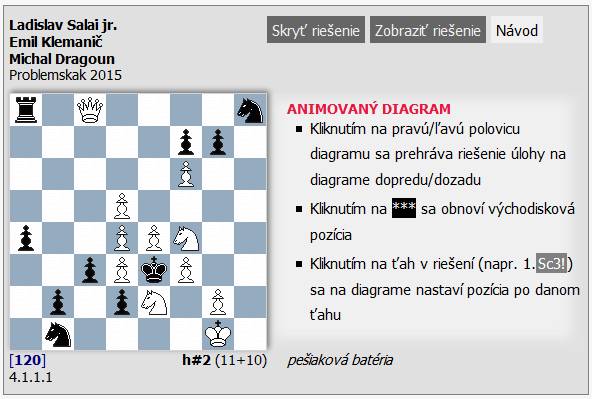
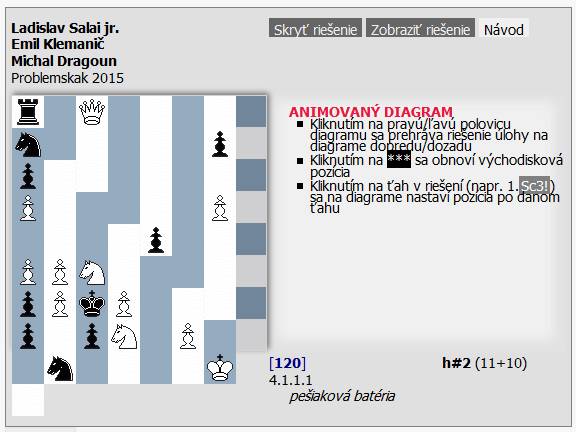
I went back to the version 1.8.0.
I have neither time nor taste repair that what worked.September 10th, 2016 at 16:37 #38931In reply to: Issue with Parabola version 2.0
Cryout Creations mastermindPrevious Parabola versions used a lot of fixed font sizes for various areas – we’ve tried to improve their customization by making them relative to the configured general font size. If fonts are too large after the update, try lowering the general font size.
Menu items size can be reduced with custom styling:
#access a span { padding: 3px 8px; }Previous theme version can be found either in WordPress’ repository (you’ll need to guess the links or browse the old tickets) or in our archive.
If you like our creations, help us share by rating them on WordPress.org.
Please check the available documentation and search the forums before starting a topic.August 29th, 2016 at 14:09 #38691In reply to: Invalid argument supplied for foreach()
Cryout Creations mastermindI am not sure how wp-cli works, but it could be that the global namespaces $parabolas (from line 12) is not available at the moment this utility scans/processes the files, triggering the warning.
If you like our creations, help us share by rating them on WordPress.org.
Please check the available documentation and search the forums before starting a topic.August 29th, 2016 at 14:05 #38690In reply to: Pictures randomly corrupting – can't work out why
Cryout Creations mastermindLooking at the speed results now, your site does load a bit sluggish (7.1s for a 1.5MB site):
https://gtmetrix.com/reports/passportandpixels.com/9Lw2uSQPYou could temporarily disable all your plugins and re-test the speed to see if it’s the content or the plugins slowing things down (could also be that the server has overload moments).
The presentation page columns should line up correctly on mobile devices in the latest Parabola update.
If you like our creations, help us share by rating them on WordPress.org.
Please check the available documentation and search the forums before starting a topic.August 26th, 2016 at 19:21 #38625In reply to: Color scheme settings not displayed
The WP is hosted by a third-party and I do not have admin rights. So I guess the settings plugin is not installed. I did it the poor man’s way, which worked out for me (maybe someone else is in a similar situation in the future):
I downloaded the Parabola theme package as zip, opened schemes.php, searched for the color scheme of choice, and entered the color values manually in the respective settings panel.
August 26th, 2016 at 01:25 #38621allfadr
Power User(You mean that it’s WordPress’ business to provide translations for them?
OK. I’m brute-force-translating things in the corresponding WP PHP files, as a (hopefully) temporary solution (there’s no WP in my language).)…But this now must be a bug, no? =)
The heading of the comments section of a post is controlled by the theme.
There’s this function in “theme-comments.php”:function parabola_number_comments() { ?>
<h3 id=”comments-title”>
<?php printf( _n( ‘One Comment’, ‘%1$s Comments’, get_comments_number(), ‘parabola’ ), number_format_i18n( get_comments_number() )); ?> </h3> <?php }There’s no string in the .po file that corresponds to the ‘%1$s Comments’ argument. So only the ‘One Comment’ string can be translated, and if there are >1 comments, the heading is in English.
-
AuthorSearch Results



