Kahuna WordPress Theme

Kahuna WordPress Theme

The Big Kahuna

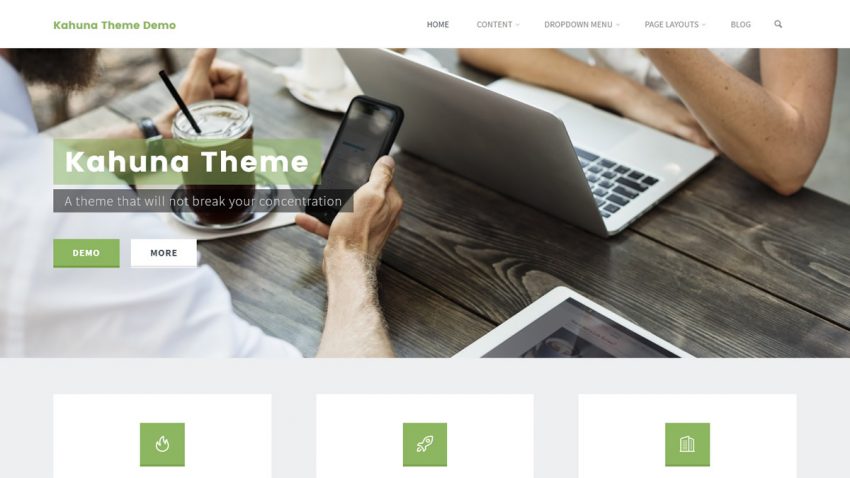
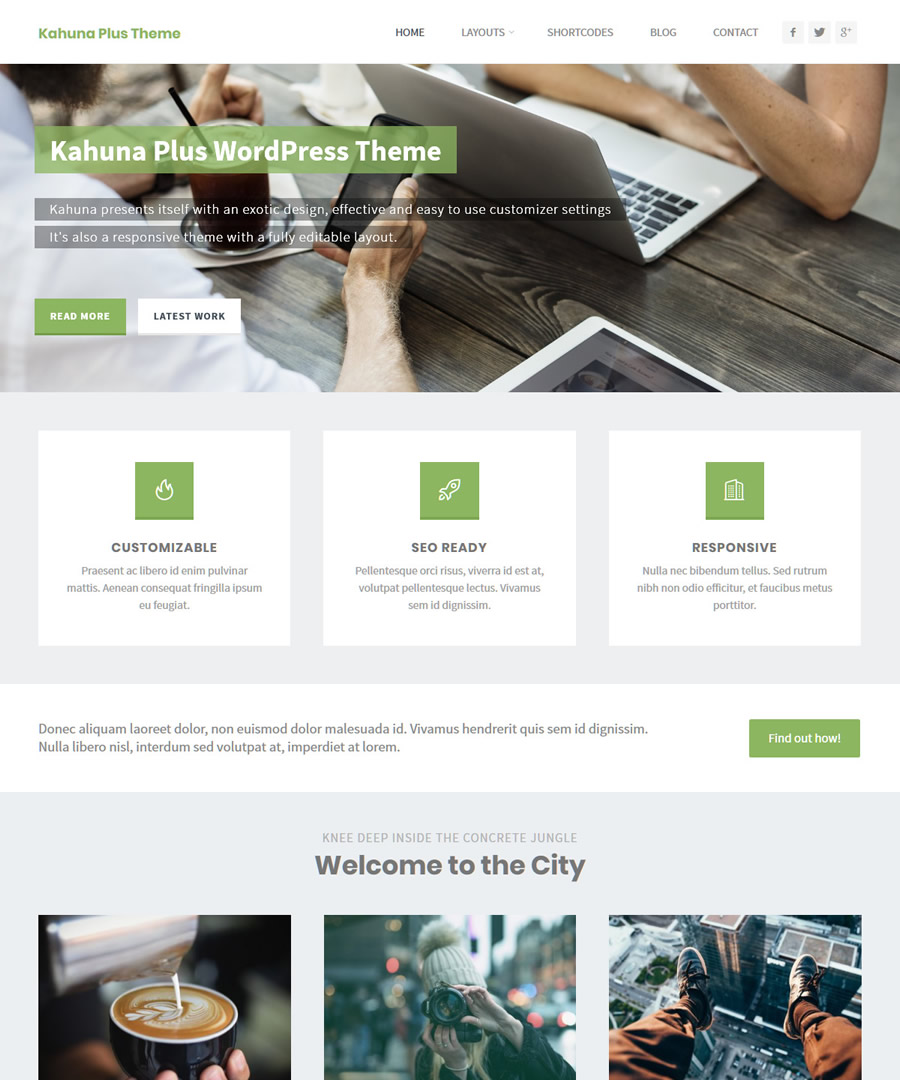
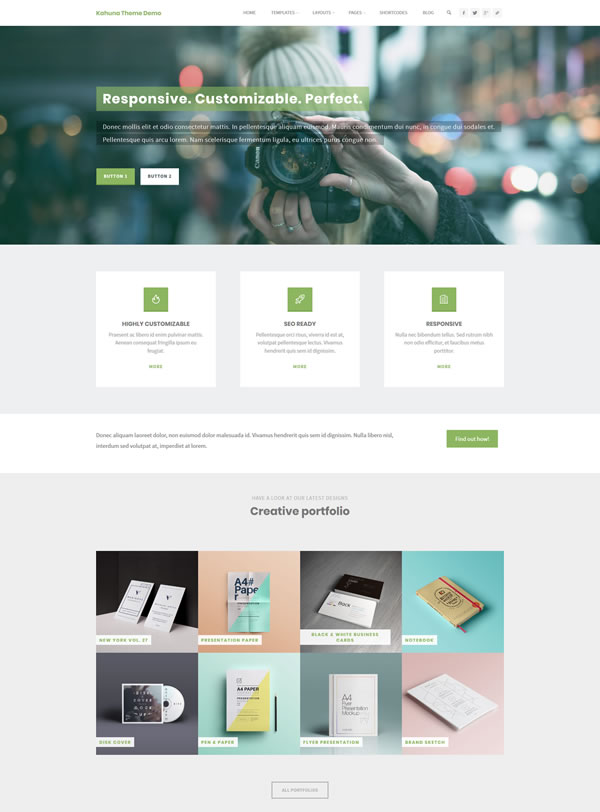
Kahuna is the big kahuna among WordPress themes. It shows off with its exotic design, effective and easy to use customizer settings and responsive, fully editable layout.

Many personal and business sites have embraced it for a wide spectrum of uses, ranging from portfolio and photography sites to blogs and online shops.

Creatively Customizable

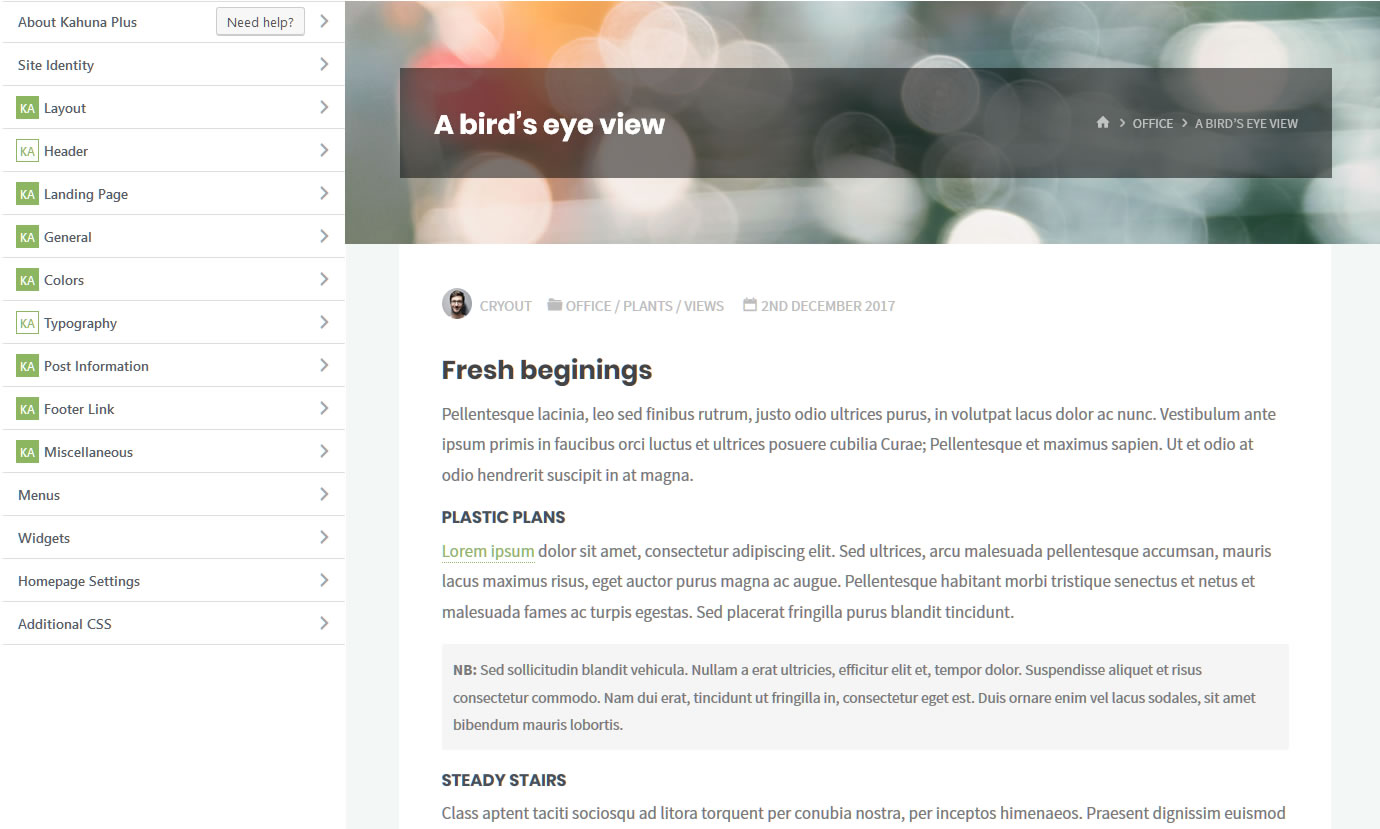
Kahuna is a Cryout Creations theme and that means that you can show, hide or customize almost every element on your Kahuna powered WordPress site.

With 100+ customizer settings, the creative power is placed in your hands. Take Kahuna to new heights and create your own theme by customizing layouts, landing page elements, typography, text and background colors, social icons, featured images, header and footer elements and a whole lot more.

Effective & Elegant

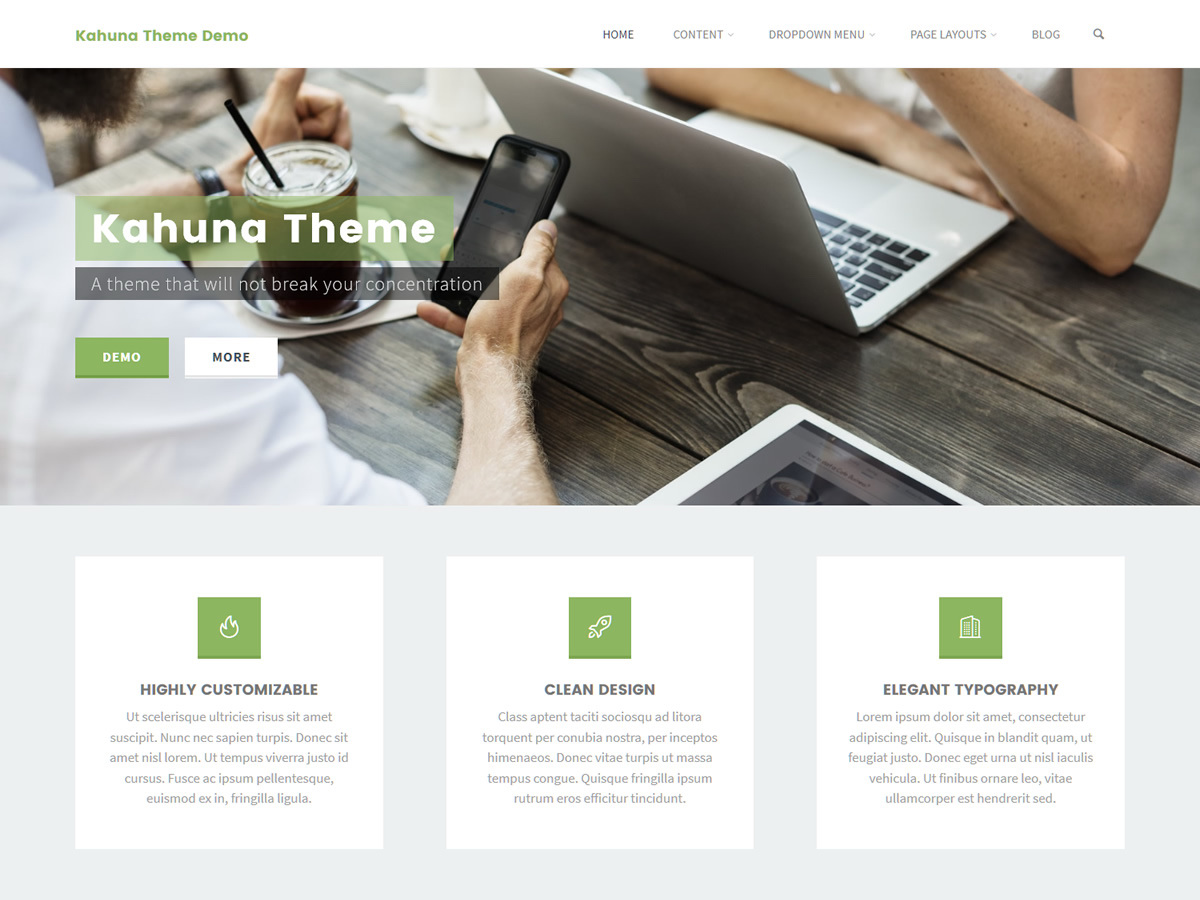
In terms of design we went for a clean, fresh look, with straight lines and corners, bold titles contrasting a lighter body font. Subtle, carefully crafted animations tie everything together in a neat package.

We chose lime green as the accent color for this theme to emphasize its freshness and coolness but you can of course change it from the customizer (along with all other colors).

Responsive Images

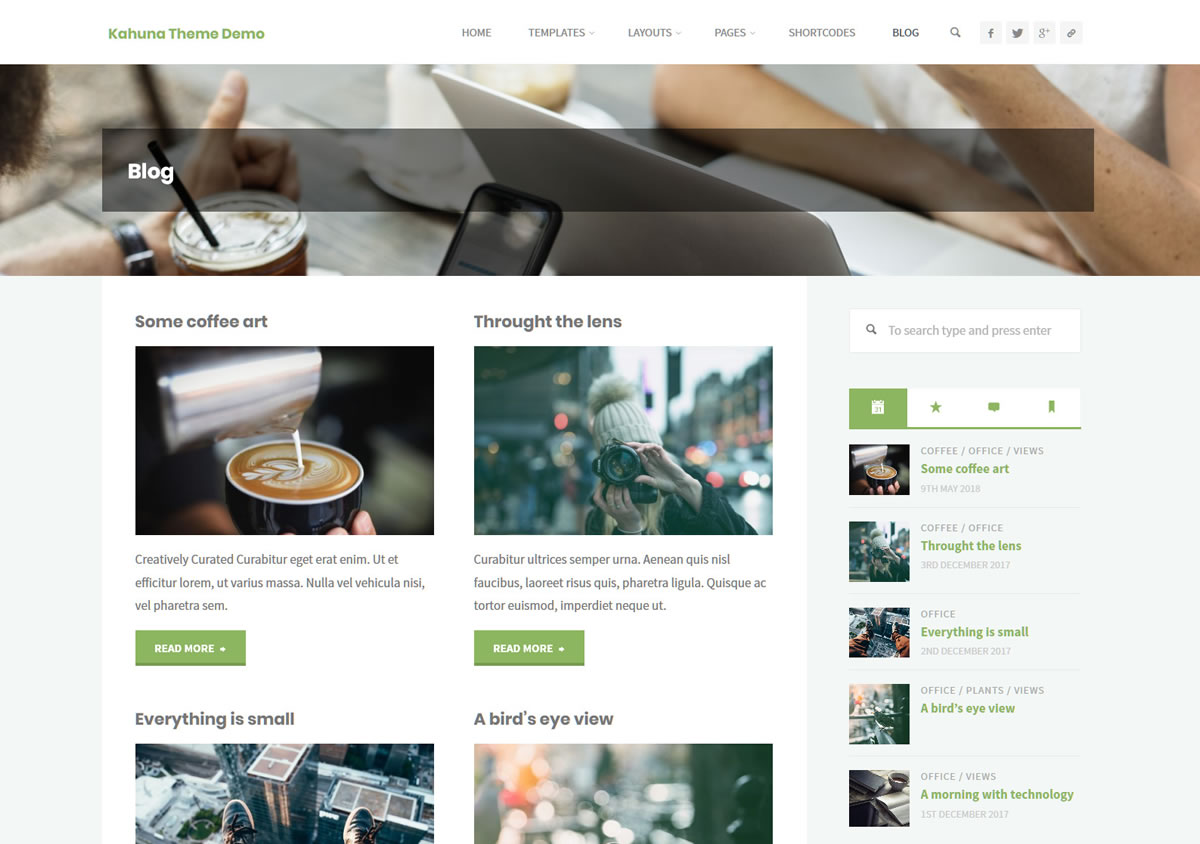
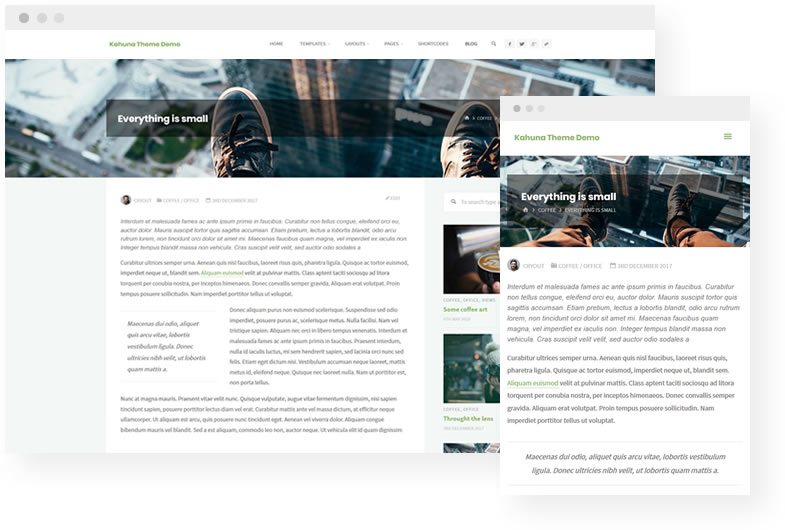
Although it works just as well without them, Kahuna is built around images: featured images, header images, content and widget images, sliders and landing page images.

So use them! Your WordPress site will come to life and your content will shine and become infinitely more appealing. Kahuna's own header titles and on-image meta information will take great advantage of them.

Kahuna
Sour
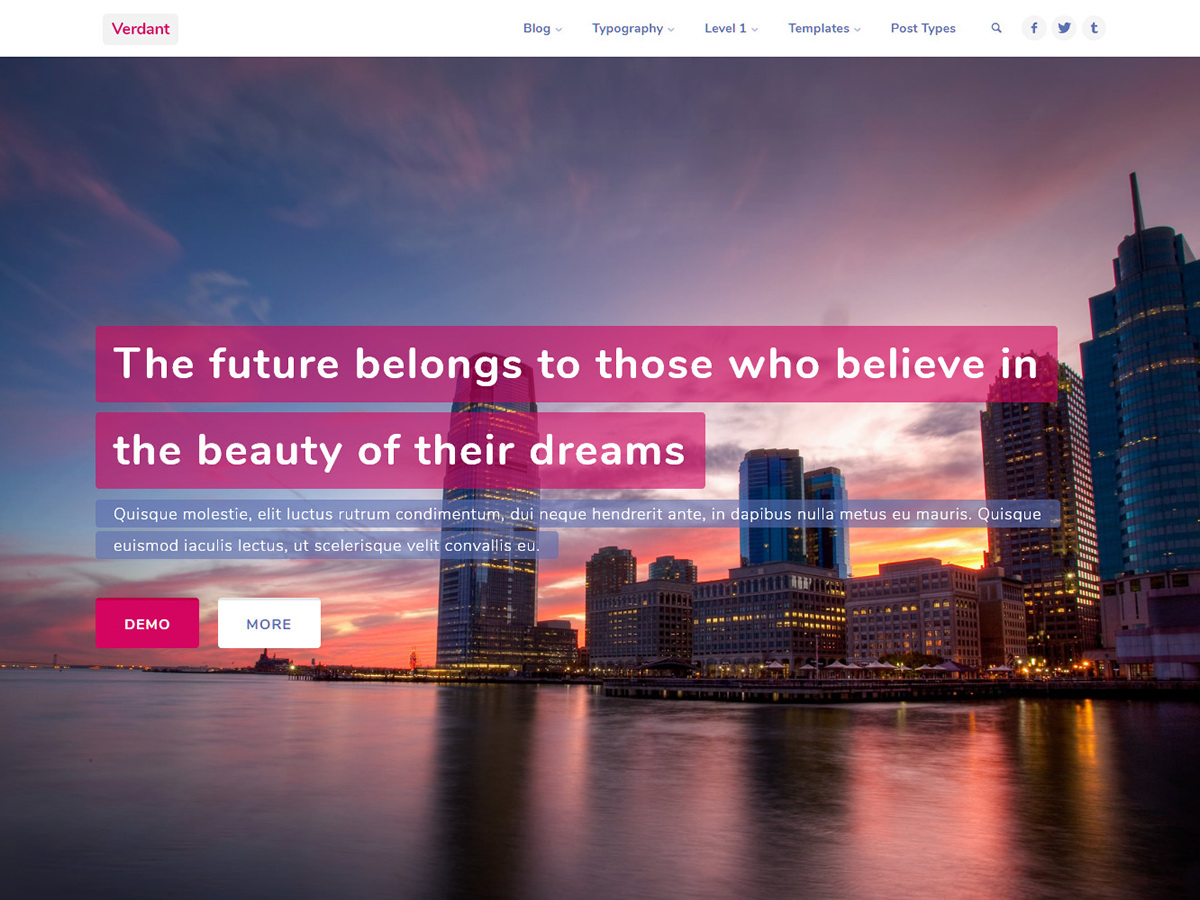
Verdant

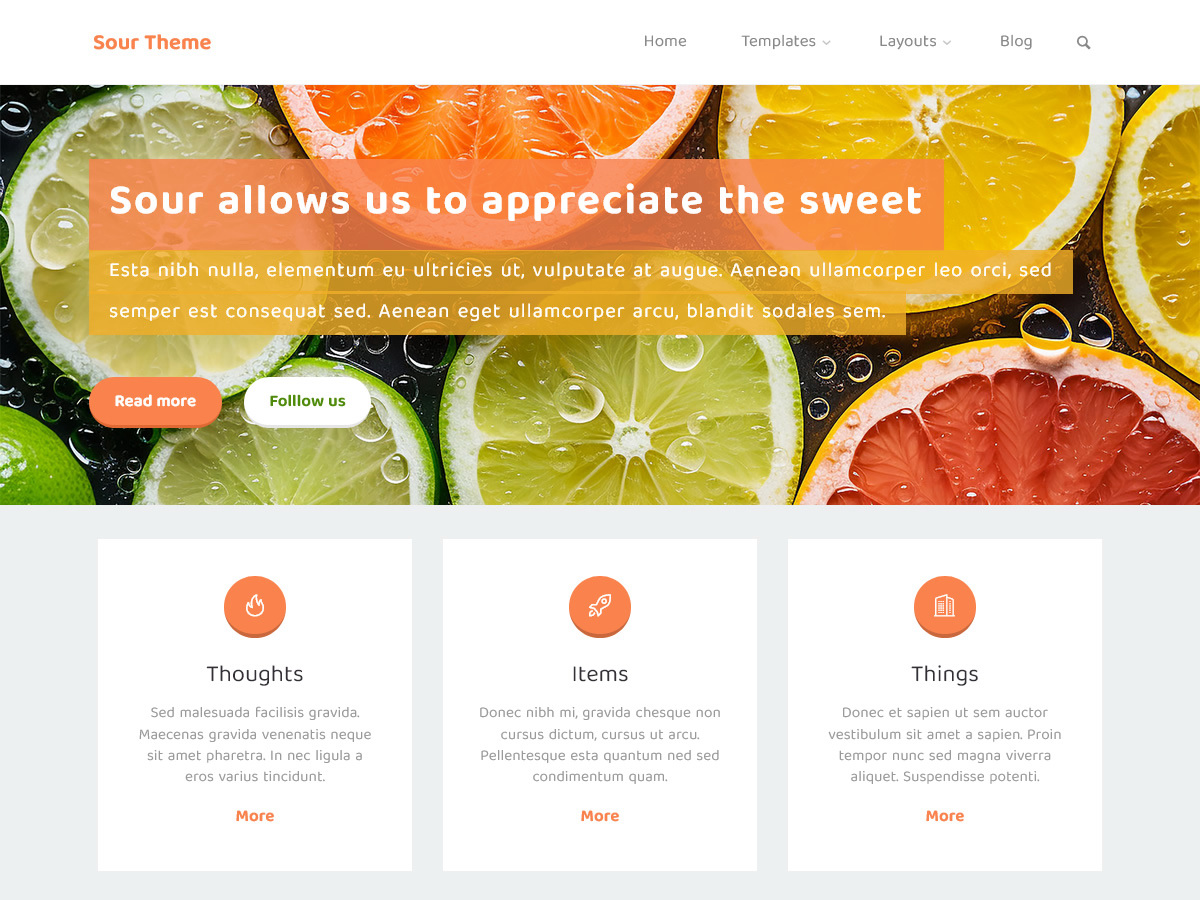
Multiple Personalities

Kahuna includes multiple built-in designs that turn it into an entirely different theme. Just like having multiple personalities!

Swap your foundation with the click of a single option and get creative with completely different colors, typography and overall looks.

Feature comparison


Main Features
Kahuna
Kahuna Plus
Free
€45 EUR / yr
Customize Options Complete options list is available in the theme documentation.
100+ options
200+ options
Configurable Layouts and Widths Easily customize layouts, content and sidebars widths; magazine layout (masonry bricks) with up to 3 columns per row.
On-page SEO HTML5 tags, microdata and microformats.
Advanced Shortcodes Grid, Tabs, Accordion, Alerts, Buttons, Labels, Well, Lead, Pullquote, Tooltip, Clear, Divider, Map, Icons, Portfolio
Advanced Widgets About, Contact, Socials, Tabbed Featured Content (recent, popular, comments, tags), Featured Posts, Portfolio, Get in Touch
Page Templates Portfolio, Contact, About, Blog, Blank
Related Posts
Individual Layout Options
Pages
Pages, posts, search, archives, portfolio, WooCommerce
Page and Post Metas Configurable color, background image and position
Hide/show individual elements (header, main navigation, breadcrumbs, footer widgets, footer)
Portfolio Support Built-in support for Jetpack Portfolios
Landing Page
Kahuna
Kahuna Plus
Custom Post Type Companion plugin for the landing page featured elements (icon blocks, featured boxes, text areas) sources
Custom Links Configurable custom links support for all landing page elements
Icon Blocks Sections
1
2
Icon Blocks per Section
Up to 4
Up to 9
Featured Boxes Sections
2
3
Featured Boxes Layouts
2
4
Text Areas Sections
3
7
Sections Order Drag & drop interface for reordering landing page sections
Background Colors Individual background color options for all landing page sections
Posts Layout and Filtering Independent layout and filtering options for landing page posts list
Extras
Kahuna
Kahuna Plus
GPL Licensed, DRM Free Downloaded files are yours to keep and use
Category Description Advanced Editor WYSWYG editor support for category description
Mobile Menu Responsiveness Breakpoint Configurable responsiveness activation for the main navigation
Article Animations
3
8
Script Fields Unfiltered JavaScript input fields for header, body and footer scripts
Options Import/Export Easily backup, migrate and import theme options
Using plugins
Built-in
Addon Plugins Quickly install and activate companion and suggested plugins
Options Migration Easily migrate options from existing free installation
-
Customizable Footer Link
Updates
on WordPress.org
Included with
active subscription
Technical Support
Best effort
in the Forum
Priority Support
included
Free
€45 EUR / yr

Testimonials

Nora McDougall

"I am very picky about the security, sticking with the WordPress core, and clean code factors in the themes I use. Kahuna has passed all with flying colors."

- Nora McDougall
@kanesteven

"Great theme! A very nice and customizable theme that is packed with various features, is versatile and has great functionality."

- @kanesteven
@randomdev77

"Cryout Creations produce high quality themes for FREE… much better than some of the premium themes out there. Thank you guys!"

- @randomdev77

Kahuna Theme Features

Highly customizable

Hundreds of theme options for almost infinite personalization.

Fully Responsive

Our themes use the latest standards for the perfect browsing experience on all mobile devices.

Constant updates

Our WordPress themes are periodically updated with the latest improvements, additions and fixes.

SEO Friendly

Highly optimized theme for search engines by using the right HTML5 tags, microdata and microformats.

Landing Page

Personalize your home page with customizable sliders, boxes, text areas and latest posts

Socials

Easy link to your favorite social networks and profiles in multiple theme locations.

Layouts

Left? Right? No sidebar? With the theme's multi-layout personality you've got them all.

Google Fonts

Applying any of the 700+ Google Fonts on a theme element is just a copy-paste away.

Translation Ready

Easily translatable theme that fully supports WordPress' language packs.

RTL Language Support

This theme has been thoroughly tested and curated to look perfect with right-to-left languages.

Child Themes

Fully supports child themes for all those extreme customization scenarios.

Clean Code

Find your way around with appropriately named, organized and documented files and functions.

HTML5 & CSS3

When creating our WordPress themes we use the latest web development standards.

Multilanguage Ready

Built-in support for the most popular multi-language plugins in the repository.

Fast & Lightweight

Front-end resource files are as small and as few as possible and queries are kept to a minimum.

Easy To Use

Completely integrated into WordPress, configuring and customizing the theme is a breeze.

Typography Options

Completely configurable font typefaces, sizes, and styles for all theme elements.

WooCommerce Ready

Our theme has built-in support for the widely used WooCommerce e-commerce plugin.

Free support

Supported by extensive theme documentation, FAQs, tutorials and an active forum.

Priority support

Backed up by a priority support service that can answer even the toughest of questions.

View All Features

Join the Developer Club!

Kahuna News

Kahuna 1.8.0 is cutting it close

Changelog:

  • Major rewrite of all critical action and filter hooks to resolve the _load_textdomain_just_in_time() was called incorrectly notice introduced by WordPress 6.7. If you’re using a child theme to apply complex overrides, these may need adjusting to account for the new order of things
  • Added hint about header video limitations to WordPress’ Header Media customizer panel
  • Added hint (and link) about the landing page functionality in WordPress’ Homepage Settings customizer panel
  • Added banner/slider background color option
  • Added cryout_preslider_hook hook to landing page slider section
  • Added additional ‘limited’ selection for table appearance option for improved compatibility with content plugins
  • Added kahuna_navigation_compat filter to allow overriding the “access” id on menu container and improve uber/mega menu compatibility
  • Added generated kahuna-accent-1/2 and kahuna-accent-1/2-bg classnames and kahuna-accent-1/2 CSS variables for the main accent colors
  • Added new social icons: AliPay, Apple, Behance, Bluesky, Bootstrap, Git, Gitlab, Google, Mastodon, Messenger, Microsoft, Teams, Person (simple, circle, square), QR Code, Rumble, Signal, Snapchat, Sourceforge, Substack, Telegram, Threads, Trello, Unity, Whatsapp, Xbox, and one that shall not be named
  • Updated social icons: Twitter (X), Facebook, Github, Google Play, PayPal, Skype, Stripe, Steam, Spotify, Linkedin, Reddit, YouTube, WordPress (old icons are still available by adding the ‘-old’ suffix to the classnames, see social icons tutorial for complete list).
  • Improved theme defaults to make all default configurable texts translatable
  • Improved styling to support more than two banner/slider caption buttons
  • Improved compatibility with ShiftNav plugin by removing focus interception from buttons
  • Changed “Fixed Menu” option to “Sticky Menu” for clarity
  • Changed all outgoing frontend links to be protocol agnostic and avoid warnings from automated quality check tools
  • Changed failover featured boxes ‘camera’ icon to only be visible when no featured image is used, to avoid interference with transparent images
  • Changed default social icon for tel: links
  • Renamed ‘striped’ tables option and CSS classname
  • Moved the landing page “Featured Content” option into the main Landing Page customizer panel
  • Rearranged WordPress’ built-in site identity options for better consistency
  • Fixed ‘View all posts by’ translation inconsistency in user-bio.php
  • Fixed ‘local’ fonts selection not working in typography options
  • Fixed dropdown toggle accessibility in main menu and mobile menu
  • Fixed theme reset styling overriding block file buttons
  • Fixed PHP 8.2+ deprecation warning in presentation page boxes filter
  • Removed backwards support for pre-WordPress 4.5 logo functionality
  • Removed HTML Shiv (previously used for Internet Explorer compatibility)
  • Bumped required PHP version to 7.0
  • Updated to Cryout Framework 0.8.7.1:
    • Added support to change built-in customizer panel priorities
    • Added support to customize priority for theme customizer panels
    • Added the Button customizer control (used for the personalities apply button)
    • Added the Personality customizer control (for personalities selection)
    • Updated rich text schema support for comments
    • Merged ‘hint’ control as subtype of ‘notice’ control
    • Fixed “About theme” customizer panel layout issues due to WordPress 6.7 accessibility changes
    • Fixed theme indicator misplaced with WordPress 6.7 accessibility changes
    • Fixed deprecated ${var} usage with PHP 8.2+
    • Fixed whitespaces in font control title hint due to spaces in markup
    • Precognitively fixed erroneous white square in customize screen panels with Zynith SEO plugin

Plus changelog:

  • Added body class identifier for currently selected personality
  • Added order and orderby control options for the landing page featured boxes
  • Added links functionality on phones/email in contact template and widget
  • Added meta option to remove main content background color on individual posts and pages
  • Added search functionality in the icons shortcode editor UI
  • Improved handling of auto-update checks when server returns unexpected data
  • Improved video header centered alignment
  • Improved handling of landing page featured boxes image responsiveness
  • Moved personalities panel to the main customizer options list and revamped the personality choice and activation process
  • Fixed deprecated creation of dynamic property in plus/plus-extras/autoupdate.php with PHP 8.2
  • Fixed Plus specific translations not loaded correctly
  • Fixed responsiveness trigger limit not applying to top navigation between 640 and (configurable) 800px
  • Fixed lefover left/right padding on full width page template
  • Fixed erroneous update availability message on unexpected reply from Plus backend API
  • Fixed XSS vulnerability allowing the output of unsanitized user names set by rogue editors/contributors
  • (Hopefully) fixed warning about reading unavailable Jetpack related property “name” / “slug” in plus/plus-functions.php in some odd cases
  • To reduce nagging in the dashboard, the theme no longer suggests installing Jetpack and Yoast SEO
  • Bumped companion Featured Content plugin to version 1.2.3

Kahuna 1.7.0 gets a bigger family

Changelog:

  • Added interactive hint to WordPress’ Homepage Settings panel while using the landing page with a static homepage
  • Improved support for bare homepage content by removing the minimum height
  • Improved accessibility and main menu keyboard navigation
  • Renamed ‘striped’ tables option and CSS classname
  • Fixed comments markup displaying erroneous ‘itemprop’
  • Updated to Cryout Framework 0.8.6.4

Plus changelog:

  • Integrated the ‘Sour‘ personality
  • Added separate control option for Featured Image in Header for custom post types (Jetpack portfolios, WooCommerce products)
  • Added separate section layout option for 404 page
  • Improved shortcodes styling compatibility with WordPress blocks using the same .row classname
  • Fixed ‘Verdant’ personality missing options defaults and sample header image

Kahuna 1.6.3 tricks or treats

Is this a trick or is this a treat? You get to decide with this update that has been too long in the making…

View Changelog

Changelog:

  • Added kahuna_box_readmore filter for landing page featured boxes read more texts
  • Added support for using the associated featured images as header images on the static home and blog pages
  • Added graceful fallback for ‘menu-over-header’ when no header image is present
  • Improved JS compatibility with ShiftNav plugin
  • Improved single posts fixed next/previous navigation by moving it to hookable kahuna_fixed_nav_links() function and limiting links to same taxonomy
  • Improved compatibility with script name collision in deferring check by increasing specificity
  • Improved compatibility with sub-optimal SSI configurations
  • Fixed isinViewport() is undefined error since 1.6.2
  • Fixed portfolio type lists displaying slugs instead of properly formatted names
  • Fixed featured images using the incorrect width in 3 post columns / left sidebar only configuration
  • Fixed a typo in the font weight selectors
  • Updated to Cryout Framework 0.8.6.3:
    • Improved Safari mobile browser detection for iPhones and iPads (for better handling of rendering quirks in social apps)
    • Fixed fatal error on Customize screen due to inconsistent handling of empty categories since WordPress 6.0
    • Fixed ‘Disable’ and ‘All Categories’ options not available in category selector options on sites with no categories defined
    • Added static blog page detection function (for featured images in header)
    • Added Polylang support for featured boxes category filtering (thanks to espasso)
    • Improved PHP 8 compatibility

Plus changelog:

  • Added type filter visibility option to landing page portfolio section
  • Added count, columns, order, sort and type filter visibility meta options for Portfolio page template
  • Added support for using the assigned custom layout on the static home and blog pages
  • Fixed meta options unable to be unset in some instances
  • Fixed header image hide option applying to posts’ container category/blog
  • Fixed portfolio section random sorting not working
  • Fixed Team Member images invisible since 1.6.2
  • Fixed an “Undefined” error in shortcodes initialization with PHP 8 and Site Origin Builder plugin

Kahuna 1.6.2 gets a rubdown

Changelog:

  • Fixed absolute next/previous post nav not working
  • Fixed header/main menu missing background color in over-image mode on smaller screen sizes
  • Fixed “Inherit General Font” option not working as expected
  • Fixed menu in over-image mode overlapping content when header image is not available or hidden
  • Fixed block editor galleries layout
  • Fixed block editor font sizes using the incorrect ‘regular’ slug
  • Fixed team members photos having a weird aspect ratio after Team Members plugin update
  • Fixed text indent option adding indentation to icons (including shortcodes)
  • Fixed search form overlapping mobile menu elements with small general font sizes
  • Fixed header titles vertical misalignment on landing page with specific configurations
  • Fixed left sidebar navigation not being displayed when there are no widgets assigned
  • Improved main navigation fallback markup
  • Renamed landing page ‘static image’ element to ‘banner image’ for clarity
  • Removed all padding/margins from before/after content and top/bottom inner widget areas
  • Improved support for menu customizations plugins
  • Added click-navigation to target panels in header content and site identity hints
  • Added configuration hint for header image when the theme’s slider / banner image is active on the homepage
  • Cleaned up and optimized frontend scripts, including for WordPress 5.5/5.6 jQuery updates
  • Updated to Cryout Framework 0.8.5.7:
    • Expanded hint control styling to apply in the Site Identity panel
    • Fixed multi-font choices failing to apply correctly
    • Added echo parameters to cryout_schema_microdata() and cryout_font_select() functions
    • Improved breadcrumbs compatibility with plugins that filter section titles and add HTML markup
    • Improved JS code to remove jQuery deprecation notices since WordPress 5.6
    • Changed custom post type label in breadcrumbs from singular_name to name
    • Better cleaning of weights in font enqueues
    • Added the ability to inherit the general font on all other font control options
    • Fixed color selector malfunction since WordPress 5.3
    • Fixed Select2 selectors no longer working with WordPress 5.6 on Firefox
    • Removed PHP and WP versions checks as these are now handled by WordPress
    • Additional sanitization and even more sanitization changes to comply with current wp.org requirements

Bravada – A Brand New Full Screen WordPress Theme

Our latest WordPress theme – Bravada is just like fine wine. It has a great texture, the amazing color is envied by all others and you get a soft buzz every time you’re using it. And just like wine, only people with great taste will appreciate it at its fullest.

Follow us after the jump to find out more!

Read More

Verdant – A Kahuna Child Theme

Verdant is Kahuna’s first official child theme. Verdant is fast, lightweight and responsive. It’s also the perfect mix of performance, design and customizations. Everything you know and love about Kahuna, you’ll also find here.

Read More

Kahuna 1.6.1(.1)

Changelog:

v1.6.1.1

  • Fixed too much accessibility on the search icon

v1.6.1

  • Added Tested up to and Requires PHP header fields in style.css
  • Added accessibility for mobile menu
  • Enabled header socials menu location by default when a social menu exists
  • Fixed plural forms in comments count for more complex languages – https://codex.wordpress.org/I18n_for_WordPress_Developers#Plurals
  • Fixed non-prefixed global variable in content.php
  • Fixed logo using incorrect height after assignment in the customize preview
  • Renamed content/author-bio.php file to content/user-bio.php to avoid name collision with WordPress’ templating system
  • Code cleanup and sanitization improvements according to the theme sniffer rules
    • Fixed empty else statements in core.php, landing-page.php, styles.php
  • Removed extended compatibility support for Polylang/WPML and Loco Translate due to WordPress.org no longer accepting XML files in themes
  • Updated to Cryout Framework 0.8.5(.1):
    • Fixed colour selector malfunction since WordPress 5.3
    • Additional sanitization

Kahuna 1.6.0(.1) gets springy

Changelog:

version 1.6.0.1

  • Fixed a possible warning due to malformed number format in custom-styles.php
  • Fixed some missing styles shared with the Plus edition

version 1.6.0

  • Added ‘wp_body_open‘ action hook support for WordPress 5
  • Added ‘kahuna_header_image‘ and ‘kahuna_header_image_url‘ filters to allow custom control over featured images in header functionality
  • Added option to disable default pages navigation and improved mobile menu functionality to hide toggler when main navigation is empty
  • Added visibility on scroll functionality on the fixed menu on mobile devices
  • Added support for future child themes
  • Improved main navigation usability on tables by adding the option to force the mobile menu activation
  • Improved landing page icon blocks responsiveness
  • Improved dark color schemes support for HTML select elements
  • Improved list bullets styling in landing page text areas
  • Improved mobile menu dark color schemes support by using non-link texts to use the configured menu text color
  • Updated fixed menu styling to account for WordPress admin bar responsiveness breakpoints changes
  • Fixed animated featured boxes displaying an extra bottom margin when the ‘read more’ button is not used
  • Fixed static slider images larger than the screen being distorted instead of cropped to fit the screen
  • Fixed breadcrumbs missing link on home icon on WooCommerce pages
  • Fixed Gutenberg lists displaying bullets outside of content on landing page sections
  • Fixed header video not being horizontally centered
  • Fixed back-to-top button sometimes failing to display on short pages
  • Improved keyboard navigation accessibility:
    • Added ‘skip to content‘ link
    • Added focus support for post featured images, landing page featured boxes, landing page portfolio, main navigation search form
    • Converted menu close element to button
  • Updated to Cryout Framework 0.8.4.1:
    • Optimized options migration check to reduce calls
    • Fixed ‘Too few arguments’ warning in breadcrumbs on Polylang multi-lingual sites
    • Removed news feed from theme’s about page per TRT requirements
Read all posts

Kahuna Plus Stats

  • Current Version: 1.8.0
  • Release Date: 23 Jan 2026

Kahuna Stats

  • Current Version: 1.8.0
  • Release Date: 20 Jan 2026
  • Rating: 
  • Downloads: 178 159
  • Active installs: 2 000+

Kahuna Support

  • Support Status: Active
  • This theme is actively maintained and new updates are released periodically to add new features, improve existing functionality and to fix issues or incompatibilities.