Mantra

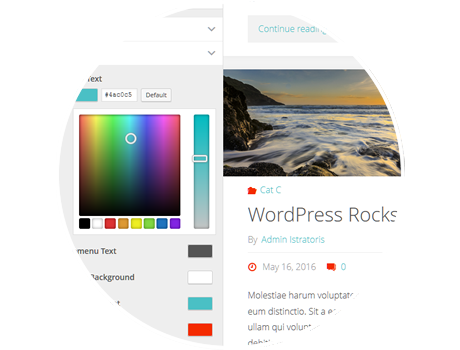
Mantra Theme has about 200 customization options!

Mantra FAQs Translations Demo Download

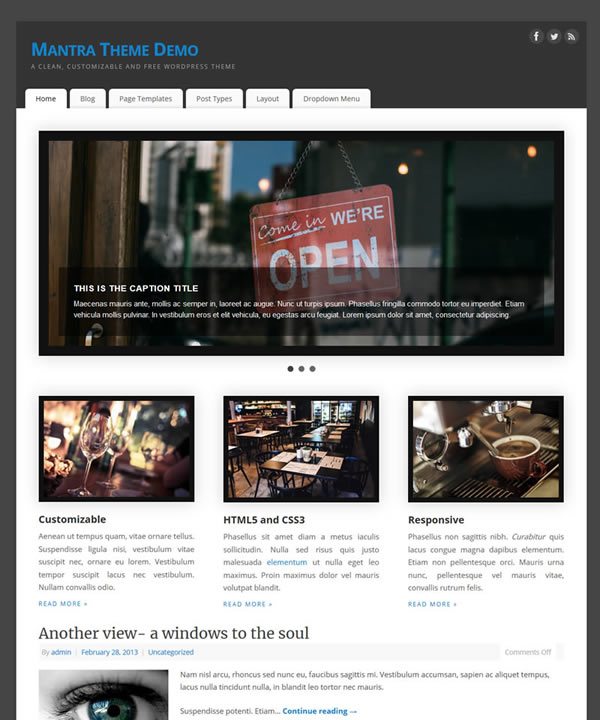
Mantra is our flagship WordPress theme, created by our WordPress mastermind himself, Mr. Kay.

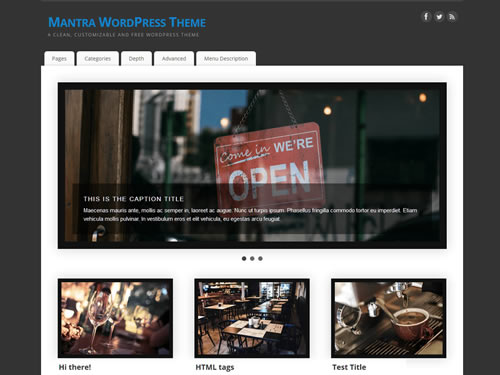
Mantra is a general purpose WordPress theme, featuring a whole pack of customizable options and easy to use tweaks, capable of tuning your WordPress to your very specific needs and likes.

Mantra is available for download (for free!).

For useful information on theme customization and a list of the most frequent questions we receive, do read the Mantra FAQs.

For those of you wishing to achieve more theme customization than what is allowed by the integrated control options, we recommend using child themes instead of manually editing theme files. This feature is pretty well documented by WordPress and has the main advantage of keeping the theme updateable.  While any changes done to Mantra’s files are lost on each theme update, a child theme is a separate (partial) theme aside Mantra and is not overwritten in an way.

Things to consider before updating

  • ALWAYS make backups! You can never have enough backups. Make a copy of all your WordPress files and an export of your database.
  • Do NOT update if you made any changes to the theme files (php files, style.css). Transfer all your changes to a child theme and only after that update. Otherwise you will loose all these changes.
  • If updating from one major version to another it is good practice to write down (or make a screenshot) of all theme settings. Since v1.9 you can use the export function. All theme settings (defined in the Mantra Settings page) should be kept after the update, but one can never be too careful.
  • When updating to v2.0 or newer (from an older version), you may need to re-set your header-related options. Also, if you are using a heavily customized child theme which changes the header code, you will most likely need to update the child theme to the new 2.0 code to avoid having issues.
  • When updating to v1.8 or newer (from an older version), make sure you are using WordPress 3.3 or newer, otherwise you will no longer be able to configure the theme (and your site will look messed up)
  • If you are using a Mantra version older than 1.6.4: please note down all the customized options you have set in the administration before updating. The update will reset all your theme options to the default ones. We are really sorry this has happened, but we were asked by the WordPress moderation team to change all the variables names, otherwise the theme would no longer be approved.
  • No matter what version you’re using, disable and re-enable any caching plugins after updating. And also use the “purge cache” option if your plugin has one. Many such plugins cache theme-related files and cause problems with how the theme works after the update.

New in Mantra 2.0

  • New Mantra settings page
  • Options regrouping (based on area)
  • Part new, part rearranged header options:
    • site title and description
    • custom logo uploader
    • clickable header image
    • no header item at all
    • top header spacing
    • menu roundness disabler
    • header height
  • Fully responsive header area (including the background image)
  • Improved mobile view (responsiveness)
  • Improved jQuery plugins compatibility
  • “Category page with intro” template updated to include the correct HTML layout

New in Mantra 1.9

  • Import/export function
  • Google fonts support
  • New favorite icon uploader
  • RSS news feed about Mantra on the admin side
  • Mobile view now optional
  • Improved the Right To Left version of our theme
  • New enhanced slider (You can now load the latest posts, random posts, posts from a category, random posts from a category, sticky posts or specific posts or pages)
  • Custom JavaScript area so you can now define your own JS code and analytics
  • Built-in basic SEO fields support
  • New page templates (You can now finally create any layout you want for each and every page)

New in Mantra 1.8

  • Unfortunately this list can’t keep up with all the enhancements, advancements and bugfixes of the latest Mantra versions. Information will be added here when time allows….
  • The all-new Presentation Page with an animated slider and 4 columns
  • The Slider and columns are fully editable from the admin section
  • The new Magazine Layout
  • Two new menus – one in the header and one in the footer
  • Mantra now requires at least WordPress 3.3

New in Mantra 1.7

  • The third column (second sidebar) – if some of your sidebar widgets disappear after the update, they’re probably on the other sidebar.
  • New and more (24!) social media icons (up to 5 can be displayed at the same time) and 4 new ‘areas’ to place them in
  • Custom CSS field for custom styles without modifying theme files
  • More fonts and customization options ( a total of 35)
  • Reset to defaults button (in case you got lost in the maze of options)
  • A lot of fresh new bugs ;)

New in Mantra 1.6

  • Translation works like it was intended to!
  • Post formats
  • Several bugfixes (’cause too many bugs at once means infestation)
  • The custom header height which so many of you have requested
  • The featured image settings
  • New and improved options user interface

New in Mantra 1.5

  • The new and improved Manta Options page. It now takes a lot less space, is nicely animated, and is a lot easier to work with. Also, it does not work in Opera and some IE versions :D eventually fixed
  • The new color selector. Also not backwards compatible with the previous color selector (you’ll have to add a ‘#’ if you just updated from a pre 1.5 version of Mantra and want to keep your old colors).
  • The new slider and width selector. This has been a really tough one but now you can choose the width of your site, of the sidebar and the content area. And all that with just one slider. Now we’re thinking how in the hell we’re gonna do this when we’ll add a third column (second sidebar area).
  • Post Excerpt Options. A new set of options for post excerpts. You can choose whether to have post excerpts on your home page or on category pages and how many words should they have. You can also overwrite the default ‘…’ and ‘Continue reading’ texts.
  • A new animated Back to top button, enabled by default.
  • Added an option to hide the text that usually accompanies the comment form.
  • The theme is now 100% translation ready. The .po and .mo files are available as of 1.5.7. Translations actually working… is still a feature to be done in a future release. Translations are working as of v1.6.5.


Mantra 2.0.3 …aaand fonts

mantra

Pending the release of Parabola, Mantra version 2.0.3 brings a new wave of small enhancements and fixes.

Unfortunately, it also brings a tiny itsy bitsy bug which will render the built-in font options unusable. This has already been fixed and version 2.0.3.1 is pending Wordpress review. In the meantime, the manual steps to fixing this issue… There’s more

Mantra 1.9.9.6 is subtle

We’re getting dangerously close to that 2.0 version aren’t we. We keep making all these baby steps and the closer we get to it the further away it seems. Who knows if after version 1.9.9.9 we won’t go for a 1.9.9.9.1 and so on. But we probably won’t. For now we’re taking care of small inconsistencies, browser incompatibilities and other minor stuff to get version 2.0 just perfect. After that we’ll move on to adding more options and whatnot. Until then here’s the changelog for… There’s more

Security vulnerability in older Mantra versions

It has come to our attention that there’s a security vulnerability in older Mantra version.

The affected versions are 1.7.7 to 1.8.9.1. No other versions are affected.
If you are running any of these versions, please update as soon as possible.

If you are unable to update due to various modifications/customizations you have performed on the theme, delete the mantra/admin/upload-file.php file to remove the vulnerability. There’s more